Short answer
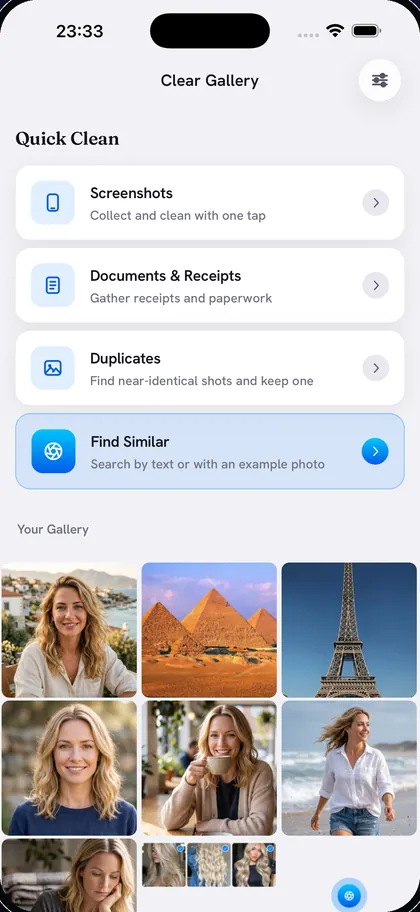
Open Photos, go to Media Types › Screenshots and tap Select. Tap Select All if your version shows it (or drag your finger across the grid), then tap the Trash button. Empty Recently Deleted afterwards to free the space. In Clear Gallery it’s one tap: every screenshot is gathered as soon as you open the app.
Method 1: The Screenshots album
- Open Photos and find Media Types. In recent versions of iOS it’s under Collections; on iOS 17 and earlier it’s in the Albums tab. Tap Screenshots.
- Tap Select.
- Tap Select All if it appears at the top of the screen. If it doesn’t, touch the first screenshot and slide your finger across and down the grid to select whole rows at a time.
- Deselect any screenshots you still need.
- Tap the Trash button and confirm.
Keep the ones you still need
Some screenshots are worth keeping: a ticket, a boarding pass, a recipe. Before you delete everything, mark those as Favorites so they’re easy to spot and deselect, or save them to an album or the Files app.
Method 2: One tap in Clear Gallery
Clear Gallery gathers every screenshot the moment you open it. This part needs no account and no AI download.
- Open Clear Gallery and tap Screenshots.
- All screenshots start selected. Tap any you want to keep.
- Tap Delete and confirm. Clear Gallery shows how much space you got back.
Don’t forget screen recordings
Screen recordings live in Media Types › Screen Recordings. They are far larger than screenshots: a minute of recording can take as much space as dozens of screenshots, so they’re worth checking too.
Stop them piling up
When you take a screenshot only to send it, tap the preview that appears, share it from there, and then choose to delete it instead of saving it. It never reaches your library.
Once the screenshots are gone, near-identical shots are usually the next biggest pile: see how to find and delete duplicate photos. For a full clean-up, read how to delete thousands of photos quickly.
Questions
How much space do screenshots take?
Each one is usually somewhere between a few hundred kilobytes and a few megabytes. On their own they’re small, but most phones have hundreds or thousands of them.
Can I recover screenshots I deleted?
Yes, for 30 days, from the Recently Deleted album in the Photos app.
Does Clear Gallery need its AI download to clear screenshots?
No. Screenshot clean-up works as soon as you open the app. The AI download is only needed for searching by description, documents and receipts, duplicates, look-alikes and person search.
